Installing v5.x (TAPI version) on systems using TAPI devices
The telephony devices TAPI and Wave drivers will need to be installed and setup before VoiceGuide can be used.
After adding or removing any TAPI capable devices on the system you must re-run the VoiceGuide configuration wizard to re-establish the link between VoiceGuide and the TAPI/Wave devices which it should be using.
Running the Setup Wizard
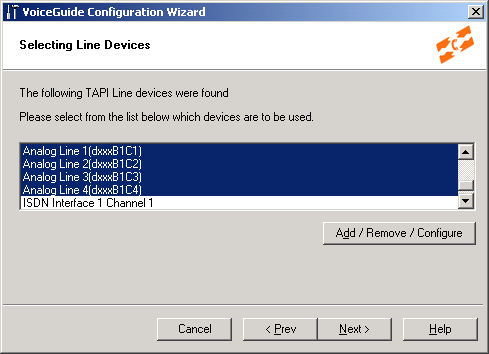
The Setup Wizard will discover all the TAPI capable telephony devices and will allow you to select which devices you would like to use with VoiceGuide:
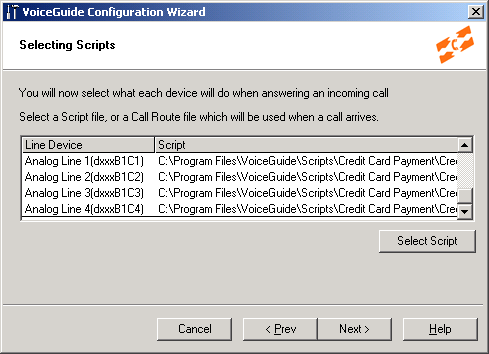
Next you need to select the Scripts which will be used by VoiceGuide when an incoming call arrives on the selected devices. To begin with we'd recommend you select the demonstration script in VoiceGuide's "/Scripts/Credit Card Payment" directory:
When Setup Wizard configuration has completed you should now be able to start VoiceGuide and call into the system to hear it answer the call and lead you through the selected VoiceGuide script.
Wav File Format Used in VoiceGuide v5
All sound files should be in format: PCM 8kHZ, 8 bit, Mono.
